Most UI kits, Figma templates and CSS frameworks are drawn with English in mind. Swap the English labels for Tamil and things start to break: buttons overflow, menu items wrap onto two lines, and vowel signs get clipped at the top of a tight text box. Designing UI for Tamil is not about a different design style. It is about giving the script the room and care it needs.
This guide is for designers and front-end developers building apps and websites for Tamil readers, whether the product is Tamil only or bilingual. Most of the advice also applies to other Indian scripts such as Malayalam, Telugu, Kannada and Devanagari. If you are new to type in interfaces, read 12 typography rules for UI first.
Tamil script basics that affect UI
Tamil is written in an abugida: each consonant carries a vowel, and other vowels are shown with signs attached to the consonant. A few features matter directly for layout:
- Marks above and around letters. The pulli (்) dot sits above a consonant to remove its vowel, and signs such as ி and ீ rise above the letter. Some vowel signs sit to the left of the consonant, and some (as in கொ) appear on both sides.
- One visible letter, several code points. கா is two Unicode characters: க (U+0B95) followed by the vowel sign ா (U+0BBE). What a reader sees as one letter is often more than one character in your code.
- Few true conjuncts. Unlike Devanagari, Tamil mostly writes consonant clusters with the pulli instead of joined forms. A handful of joined forms such as ஸ்ரீ and க்ஷ exist, and the font must render them correctly.
- Long words. Tamil is an agglutinative language, so suffixes join onto the word. A short English label like “Settings” often becomes a longer Tamil word such as அமைப்புகள், and there may be no natural place to break it.
In practice, Tamil text at the same font-size often looks smaller and denser than English in many fonts, and it needs more vertical space so marks are not clipped.
Choosing fonts when designing UI for Tamil
Pick a font that was designed for Tamil, not one that falls back to whatever the operating system has. These families are on Google Fonts and include the Tamil subset (I checked each one through the Google Fonts API at the time of writing):
| Font | Style | Notes |
|---|---|---|
| Noto Sans Tamil | Sans serif | By Google; variable weight from 100 to 900. A safe default for apps. |
| Mukta Malar | Sans serif | By Ek Type; part of the Mukta family, which suits clean interfaces. |
| Catamaran | Sans serif | By Pria Ravichandran; variable weight from 100 to 900. |
| Hind Madurai | Sans serif | By Indian Type Foundry; a compact choice for dense screens. |
| Anek Tamil | Sans serif | Useful for headings and labels. |
| Baloo Thambi 2 | Rounded display | Friendly headings; avoid for long body text. |
| Noto Serif Tamil | Serif | For reading-heavy pages such as articles. |
| Arima, Meera Inimai, Pavanam | Various | Also include the Tamil subset; preview them with your own copy. |
Pair the Tamil font with a Latin font that has a similar weight and x-height, or choose a family like Noto or Mukta that covers both scripts in a matching style. Load only the weights you use, because Tamil font files add to page weight.
Tip: Type a real Tamil sentence into the Google Fonts preview box before choosing a font. The default English preview tells you nothing about how the Tamil letters look.
Line height, font size and avoiding truncation
Tamil needs more line height than English. As a starting point, I set Tamil body text to a line-height of about 1.6 to 1.8 and test from there, with a slightly larger font-size than the English text. These are my working numbers, not a standard, so check them with your chosen font and real copy.
Fixed heights are the main cause of clipped Tamil text. A button with height: 36px and overflow: hidden may cut off the marks above the letters. Use padding and min-height instead, and let the text set the size.
.btn {
  min-height: 44px;
  padding: 0.5rem 1rem;
  line-height: 1.4;
  white-space: normal; /* allow wrapping */
}

.nav a {
  overflow-wrap: anywhere; /* long Tamil words can break */
}
Avoid relying on text-overflow: ellipsis for important labels. A truncated Tamil word is often unreadable, because the meaning sits in the suffix at the end. For navigation, plan for longer labels: use fewer items, an overflow menu, or icons with visible text. My UX writing guide covers how to keep labels short in any language.
The lang attribute and :lang() in CSS
Always set the language. MDN explains that the lang attribute helps assistive technologies such as screen readers use the correct pronunciation, and WCAG requires both the page language and the language of parts to be set. Put the main language on <html> and mark any other-language parts.
<html lang="ta">
  ...
  <p>விலை: ₹499 <span lang="en">(incl. GST)</span></p>
</html>
The :lang() pseudo-class then lets you style Tamil text without extra classes. It matches the element’s language, including inherited values, and :lang(ta) also matches more specific tags such as ta-IN.
:lang(ta) {
  font-family: "Noto Sans Tamil", "Mukta Malar", sans-serif;
  line-height: 1.7;
}

:lang(en) {
  font-family: "Inter", system-ui, sans-serif;
  line-height: 1.5;
}
Bilingual layouts: Tamil and English together
Many Indian products show Tamil and English side by side or let users switch. Tamil labels often take more space than English, so the layout must handle both without two separate designs.
- Design the component with the longer language first, then check that the English version does not look empty.
- Use Flexbox or Grid with wrapping rather than fixed widths for button groups, tabs and filter chips.
- Use Figma auto layout so frames grow with the text; see the Figma auto layout guide.
- Keep icons, prices and numbers in the same position in both languages, so users switching languages are not lost.
- Show the language switcher with each language written in its own script, for example தமிழ் and English.
Testing with real copy, forms and keyboards
Never test a Tamil layout with Lorem Ipsum or machine translation you have not reviewed. Ask a Tamil speaker for real labels, error messages and long names, then add them to your designs and run a quick usability test with Tamil readers.
Forms and keyboards
- Do not restrict name or address fields to
[A-Za-z]patterns. People may type their names in Tamil. - Remember that
maxlengthcounts UTF-16 code units, not visible letters. Because கா is two characters, a Tamil name hits the limit sooner than you expect. Give generous limits. - In JavaScript,
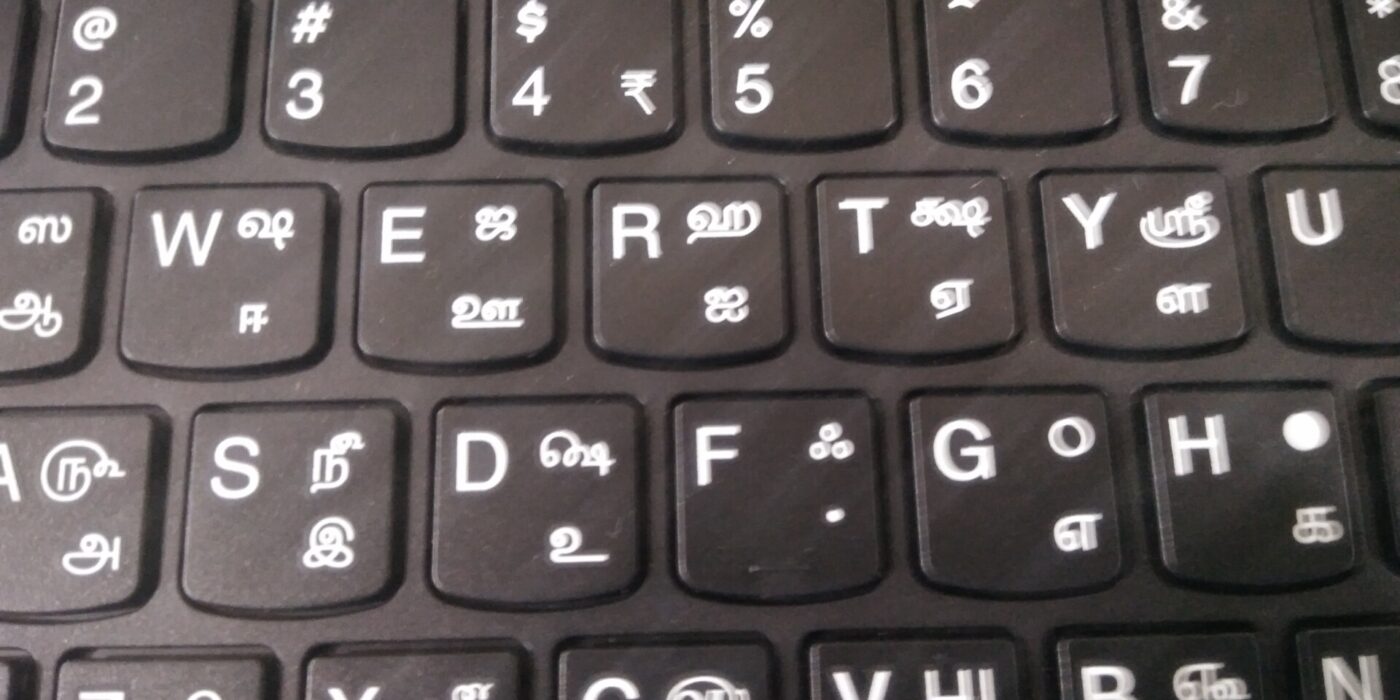
string.lengthhas the same problem.Intl.Segmenterwithgranularity: "grapheme"counts user-perceived characters; MDN lists it as Baseline 2024. - Users type Tamil with different keyboards, such as the Tamil 99 layout approved by the Tamil Nadu government in 1999, or phonetic input on phones. Test your forms with at least one Tamil keyboard.
For general form rules, see form design UX.
Unicode, images of text and accessibility
Tamil has its own Unicode block, U+0B80 to U+0BFF. Always store and display Tamil as Unicode text. Some older Tamil websites used 8-bit encodings such as TSCII, where text only displays correctly with one specific font. If a client hands you content in such a format, convert it to Unicode before it goes into your product.
Do not put Tamil headings or banners into images. WCAG success criterion 1.4.5 (Images of Text) asks for real text where possible, because people cannot resize, recolour or re-space text inside an image. Images of text also cannot be searched, copied, translated or read reliably by screen readers.
A few more accessibility checks when designing UI for Tamil:
- Check colour contrast with the actual Tamil font weight, because thin Tamil strokes can look lighter than English at the same colour. Our colour contrast checker helps.
- Make sure layouts do not break when users increase spacing. WCAG 1.4.12 Text Spacing asks that no content is lost when line height is set to 1.5 times the font size, paragraph spacing to 2 times, letter spacing to 0.12 times and word spacing to 0.16 times.
- Test with a screen reader that has a Tamil voice installed, and confirm that mixed Tamil and English parts are marked with
lang. - Avoid all-caps styles and letter-spacing tricks on Tamil text; Tamil has no capital letters, and extra tracking can separate vowel signs visually from their consonants.
For a wider introduction, read web accessibility basics. In the end, designing UI for Tamil comes down to patience: real copy, flexible boxes and testing with the people who will read it.
Frequently asked questions
Which Google Font is best for Tamil UI?
There is no single best font. Noto Sans Tamil is a safe default with a wide weight range, while Mukta Malar, Catamaran and Hind Madurai are popular alternatives. Test each one with your own Tamil copy.
What line height should I use for Tamil text?
There is no official number. I start body text around 1.6 to 1.8 and adjust after testing with the chosen font, because marks above and around the letters need extra vertical space.
What lang code should I use for Tamil?
Use ta. You can add a region, such as ta-IN for India or ta-LK for Sri Lanka, and CSS :lang(ta) will still match it.
Why should I avoid images of Tamil text?
Images of text cannot be resized, recoloured, searched, copied or translated, and screen readers cannot read them reliably. WCAG 1.4.5 asks for real text wherever the design can be achieved with it.